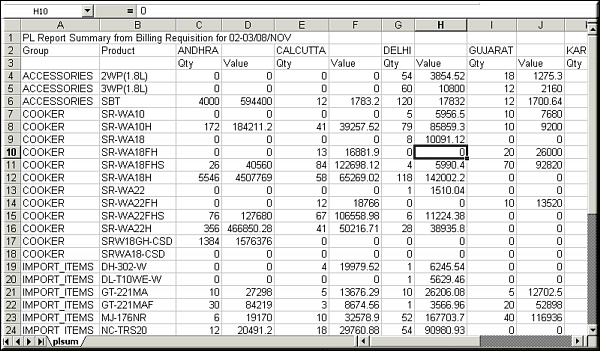
| Function | Facility to output the PL Summary as a CSV file which can be viewed in Excel |
| | |
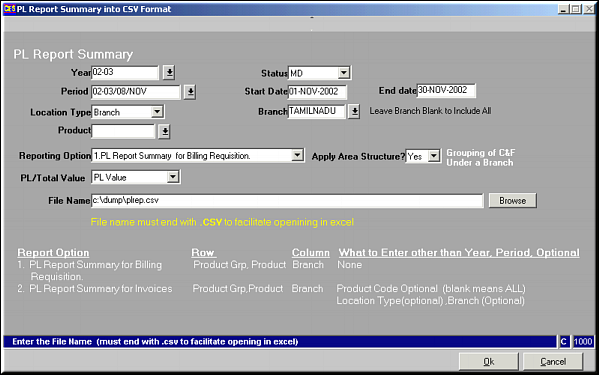
| How To Use | Enter the parameters |
| | Year | |
| | Status | Authorisation status of Price rate |
| | Period | |
| | Location Type | Branch / Factory / All |
| | Branch | Select branch to restrict to (Applicable only if above option is Branch) |
| | Product | Restrict to a Product |
| | Reporting Option | Style in which report should be output (Select one of the options) |
| | Apply Area Structure | Yes / No |
| | PL/Total Value | PL Value / Total Value |
| | File Name | Full path of file to write output to |
| | |
| Parameter Form | Enter Parameters
|
| | |
| Report Output | Output as CSV file
|
| | |
| Pre-requisites | |
| | |
| Notes | |