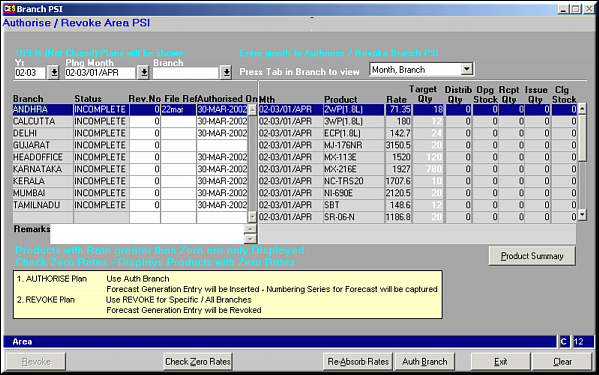
Click Product Summary to view a list on summary of all products for the selected branch.

Select the Autonum Doc Type and click Next. Message is displayed confirming authorisation.
| Authorise / Revoke Area PSI (SO56) | Previous Top Next |
| Function | Facility to authorise / revoke PSI plan for an area. |
| How To Use | PSI for Branch Click Product Summary to view a list on summary of all products for the selected branch. |
| Auth Branch | Click to authorise PSI plan for branch.Auto Number Strip Select the Autonum Doc Type and click Next. Message is displayed confirming authorisation. |
| Re-Absorb Rates | Click button to re-absorb the rates for each of the products under the selected plan. Any change in rates is immediately reflected. |
| Check Zero Rates | Click button to check if any products exist with rate set as zero. |
| Revoke | Click Button to revoke authorisation on PSI plan for selected / all branches. |
| Pre-requisites | |
| Notes |