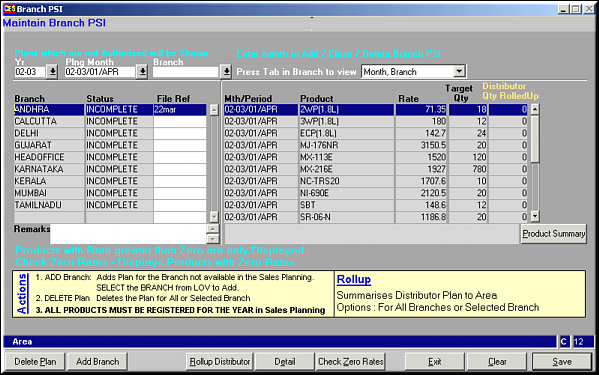
Enter criteria to filter by and press
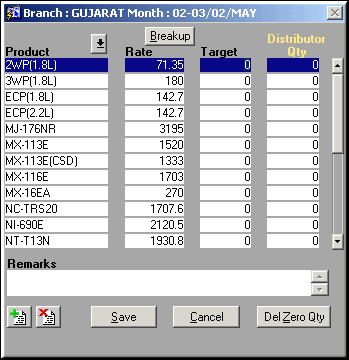
Enter Product Code, rate and rest of the details and click Save to save it. Click Del Zero Qty to remove all Products with quantity given as zero.
| Maintain Area PSI (SO54) | Previous Top Next |
| Function | Facility to maintain PSI by Area |
| How To Use | Branch PSI Enter criteria to filter by and press |
| Delete Plan | Click button to delete plan for an area. User is prompted whether he needs to delete all plans or only for that area. Make selection to confirm deletion. |
| Add Branch | Click to create a new branch PSI. If all branches have been already selected, message is displayed "All Branches Specified in Sales Planning already Available" |
| Rollup Distributor | Click to rollup the area PSI from Distributor PSI. The PSI for all distributors in that area is rolled up to form the Area PSI. |
| Detail | Click to enter the plan details. User is asked if he wants to view details by period or by product. Select one to view / edit.PSI Details Enter Product Code, rate and rest of the details and click Save to save it. Click Del Zero Qty to remove all Products with quantity given as zero. |
| Check Zero Rates | Click Button to check if any products exist where rate is equal to zero. |
| Pre-requisites | |
| Notes |