| Function | Facility to maintain the billing target plans for a given period and branch by product group. |
| | |
| How To Use | List of Billing Target Plans
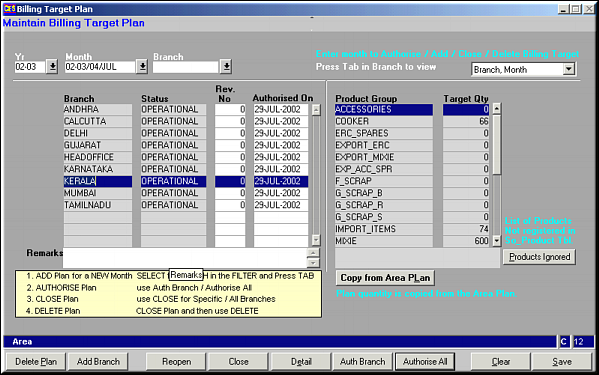
Enter the Year, Month and Branch to filter by and get a list of all plans. Click on Products Ignored to view a list of all products omitted from the selected plan.Click Copy from Area Plan to copy the billing target plan from Area PSI. Plan can be populated from Planning defaults or from Area Plan. |
| | |
| Buttons | Authorise All: For authorising all plans displayed in one go.Auth Branch: For authorising plan of selected branch alone.Detail: Click for viewing and modifying product-wise details of the plan.Close: For Closing plan for a single branch or for all branches. User is prompted before close.Reopen: Click to reopen closed plan for a single or all branches.Add Branch: Click to add a plan for a branch that doesn't already have a plan.Delete Plan: Click to delete a plan that has been closed. Only plans that have been closed can be deleted. |
| | |
| Pre-requisites | |
| | |
| Notes | |