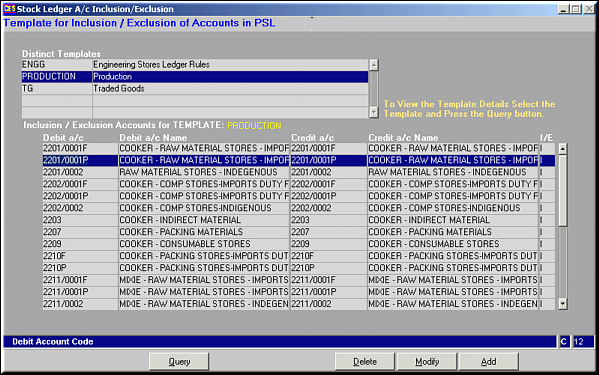
Select a Distinct Template and Click Query to get the list of Accounts Included/Excluded.
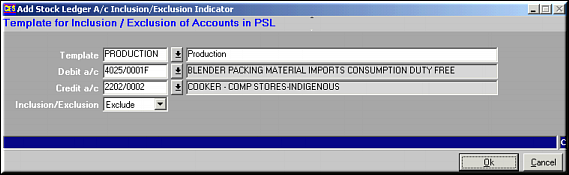
Enter the Template to add account to, Debit Account Code, Credit Account Code and whether to Include or Exclude. Click OK to save.
| Stock Ledger A/c Inclusion/Exclusion (PS07) | Previous Top Next |
| Function | Maintain templates for inclusion/exclusion of accounts to be utilised when Ledger is defined. |
| How To Use | |
| Query Screen | Distinct Templates and Accounts Included/Excluded Select a Distinct Template and Click Query to get the list of Accounts Included/Excluded. |
| Add | Add Account Include/Exclude to Template Enter the Template to add account to, Debit Account Code, Credit Account Code and whether to Include or Exclude. Click OK to save. |
| Modify | Click to modify an include/exclude. Screen similar to the Add facility is seen. Make necessary changes and click OK to save. |
| Delete | Click to delete an inclusion/exclusion. Screen showing details is seen. Click OK to confirm deletion. |
| Pre-requisites | |
| Notes |