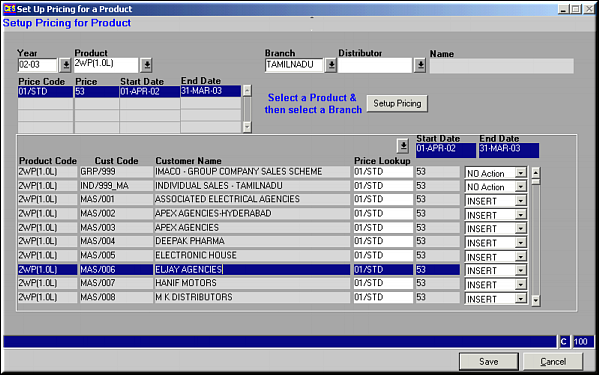
Enter Year ID, Product Code, Branch and Distributor Code and click Setup Pricing.All Pricing for the selected product is seen in the second half of the screen. Choose the pricing to apply, and whether to INSERT, DELETE or perform NO ACTION. Click Save to save details.Note: The action populated when loading is suggestive of action to be taken.