| Function | Facility to manage and maintain Cost Centre Rates |
| | |
| How To Use | |
| | |
| Screen |
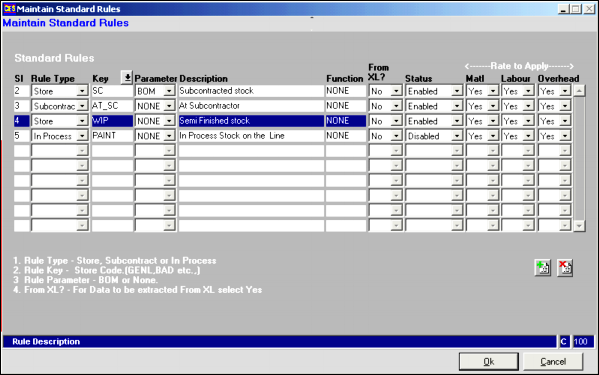
|
| | Fields |
| | Sl | It is Serial number. |
| | Rule Type | There are three types of Rules:- Store, Subcontract and In Process. |
| | Key | It determines the location of material referenced in Rule Type. |
| | Parameter | |
| | Description | |
| | Function | |
| | From XL ? | YES/NO. Enter this field to tell if you want to load rule from Excel Sheet or not. |
| | Status | The rule is ENABLED or DISABLED |
| | Matl (Material Rate) | YES/NO. To determine that Material rate should be applied on Rule or no. |
| | Labour (Rate) | YES/NO. To determine that Labour rate should be applied on Rule or no. |
| | Overhead (Rate) | YES/NO. To determine that Overhead rate should be applied on Rule or no. |
| | |
| BUTTONS | |
| | |
 | Click here to Add new Record.Enter all required fields.Click OK to save this Record. |
| | |
 | Click here to Delete a cost area.Click OK to confirm the Deletion. |
| | |