| Function | Facility to manage and maintain Standard Rates |
| | |
| How To Use | First enter values in the filter provided ( Part, Product Group) and press Tab. The filtered record would be displayed. Now you can see, modify or add and delete any record from these. You can also click on "Show Errors" button, it would show another filter. In this filter enter the "Ledger Id" and "Sourcing" then press tabs and all the records with errors would be displayed. |
| | |
| Screen |

|
| | Fields |
| | Part | Select a part from the List of values. This field is for filtering out the records of selected part. |
| | Product Group | Select a product group from the List of values. This is also a field for filtering. |
| | | |
| | Part no | This would display the part no of selected part. |
| | Description | This would show the description about the selected part. |
| | Shop | Value in this field would be used to track down the exact location of the part. |
| | Product Group | This would show the group of the Part. |
| | Soucing Rule | Import:- If it is imported from foreign country.
Local:- If it is from the Local country.
Subcon:- If it is from Subcontactor.
Mfg:- If it is manufactured inside the company itself. |
| | Unit | Unit of measure. |
| | Basic | |
| | Material | Material Rate. |
| | Labour | Labour Rate. |
| | Overhead | Overhead Rate. |
| | Subcon(tractor) | Subcontractor Rate. |
| | Scrap Recovery | |
| | Remarks | |
| | |
| BUTTONS | |
| | |
| Add |

Mostly you won't be needing this, as every new part is inserted automatically by the Ledger, with part no and description and all other fields containing default values. You just need to modify them, by clicking on modify button. |
| | |
| Modify |

Clicking on this button would invoke the screen as shown above. You can modify the editable fields from it. Then click on "OK" to save the changes. |
| | |
| Delete |

Clicking on this would display Delete record screen. Click "OK" in that to delete the record. |
| | |
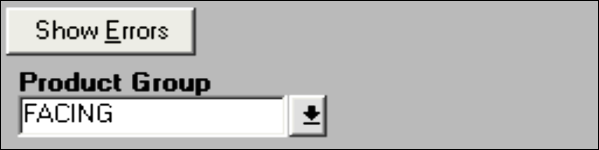
| Show Errors and HIde Errors | Show Errors
Hide Errors
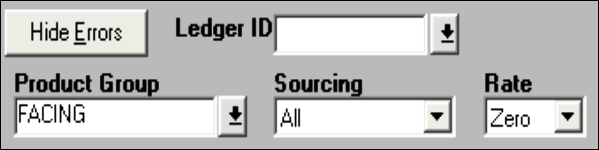
Clicking on Show Errors would display three fields Ledger ID, Sourcing and Rate. This is a filter to display all the records in a particular ledger having errors. These could be further restricted by Sourcing and Rate fields. You can click on "Hide Errors" to hide these extra fields. |
| | |