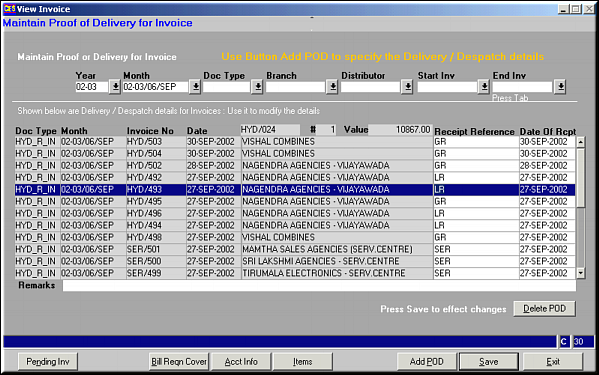
Enter the criteria to filter by and press
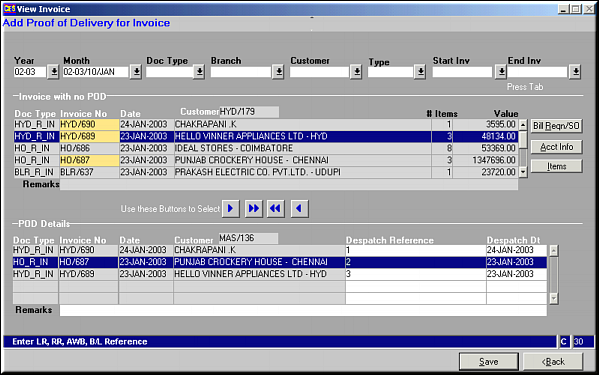
Invoices without POD based on selection criteria is displayed. Use buttons
 ,
,  ,
,  ,
,  to select / deselect invoices. Click Save to save and exit.
| Proof of Delivery for Invoice (IN27) | Previous Top Next |
| Function | Facility to maintain proof of delivery on invoices. |
| How To Use | |
| List of PODs Enter the criteria to filter by and press | |
| Add POD | Add Proof of Delivery for Invoice Invoices without POD based on selection criteria is displayed. Use buttons , , , to select / deselect invoices. Click Save to save and exit. |
| Pre-requisites | |
| Notes | Click Delete POD to delete selected POD. Message is flashed for confirming deletion.Selected invoices are highlighted in YELLOW |