| Function | Report to output expense analysis onto a CSV file for reading in Excel |
| | |
| How To Use | Enter The Parameters |
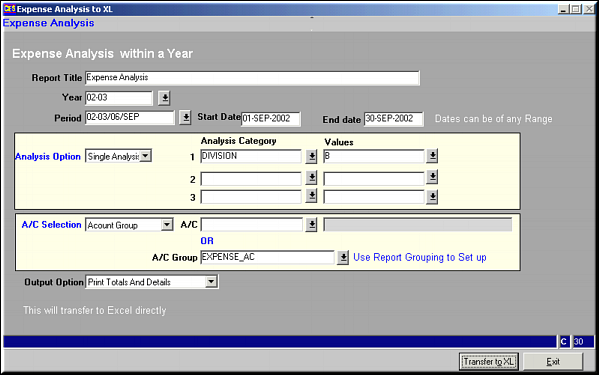
| | Report Title | Title to be printed |
| | Year | |
| | Period | |
| | Analysis Option | Single / Dual / Triple Analysis |
| | Analysis Category | Categories of analysis to report on. Number depends on selection of "Analysis Option" |
| | Analysis Values | Values of categories to be compared |
| | Account Selection | Account Code / Account Group |
| | Account / Account Group | A single account code or a group of accounts based on option under "Account Selection" |
| | Output Option | Print Totals only / Print Totals and Details |
| | |
| Parameter Screen | Enter Parameters
|
| | |
| Transfer to XL | Click button to send the report to Excel |
| | |
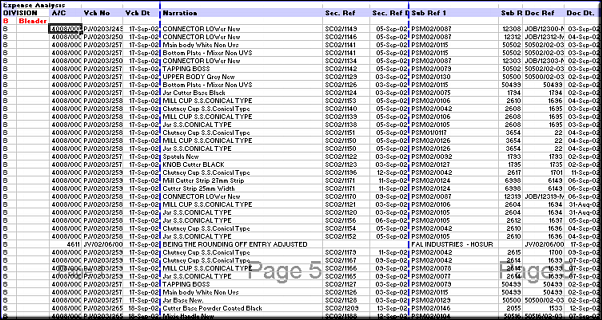
| Report Output | Output as seen in Excel
|
| | |
| Pre-requisites | |
| | |
| Notes | |