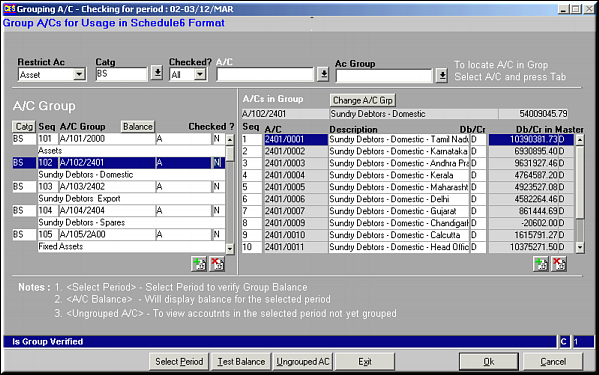
Enter values to filter by
| Group A/Cs (FS02) | Previous Top Next |
| Function | Facility to group accounts – available in finance – under various groups for purposes of Schedule 6 | |
| How To Use | Maintain Account Grouping Enter values to filter by | |
| Restrict A/c | All / Asset / Liability / Revenue / Expense | |
| Catg | Restrict to a Category | |
| Checked? | Restrict to Accounts that have been checked or not checked – All / Yes / No | |
| A/c | Restrict to an account | |
| AC Group | Restrict to Account Group | |
| Click button Catg to change the category an account group will fall under. Similarly click Change A/C Grp to shift an account from one group to another. Click Balance to view all group balances at the same time. For this the buttons Select Period and Test Balance should have been used. | ||
| Select Period | Click button to select a period for which balances need to be generated from a list. | |
| Test Balances | Click button to generate balances for the period selected for each of the accounts and groups. | |
| Ungrouped A/c | Click button to view a list of accounts that have not been grouped for the period selected and group them as needed. | |
| Pre-requisites | ||
| Notes | On clicking Exit the list of accounts that have not been sequenced and account groups for which balances are not checked. | |