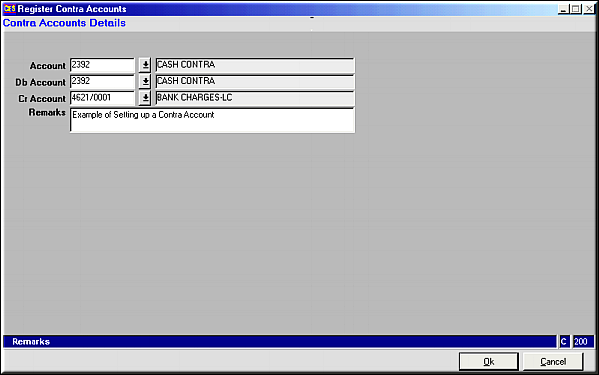
Enter relevant Account Code in fields Account, Db account and Cr Account. Click OK button to Save
 Account cannot be deleted if voucher entries exist under the account.
| Maintain CONTRA Accounts (FA42) | Previous Top Next |
| Function | Register Contra accounts. |
| How To Use | |
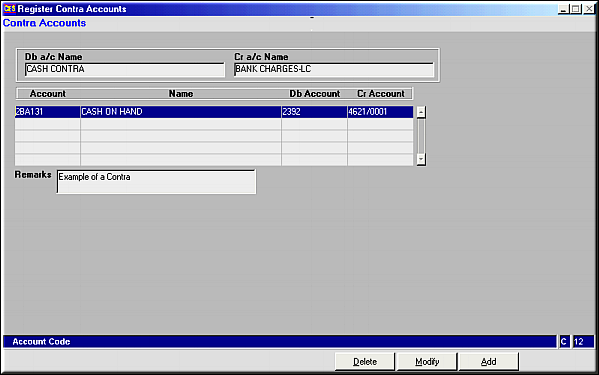
| Query Screen | List of all available Contra accounts |
| Add | Add Contra Accounts Enter relevant Account Code in fields Account, Db account and Cr Account. Click OK button to Save |
| Save | Save Details entered are saved to database. Contra Account is registered and a message is displayed. Query screen is shown. |
| Modify | Modify Contra AccountScreen similar to the add screen is shown. Modify details and click on OK button to save changes |
| Delete | Delete Account Account details are shown. Click OK button to delete account.Account cannot be deleted if voucher entries exist under the account. |
| Pre-requisites | Debit and Credit accounts entered should already be registered as accounts. |
| Notes |