| Function | Facility to make opening balance voucher entry. |
| | |
| How To Use | |
| | |
| Year and Period | Enter Year ID and Period Label
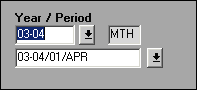
Click Voucher to make the voucher entry. |
| | |
| Voucher Entry | Voucher Entry Screen
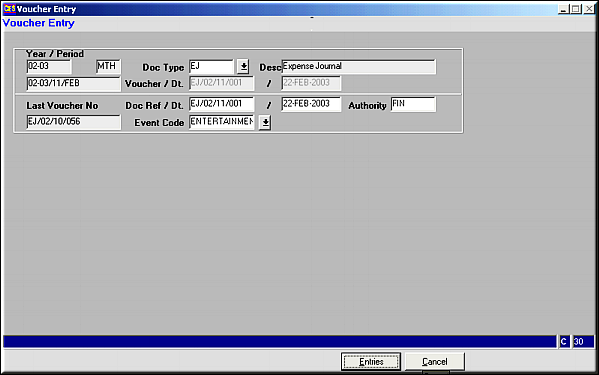
Confirm Doc Type and Enter the Event Code. Click Entries to proceed. Fields Doc Ref., Date and Authority can be changed. Defaults are displayed. Fields Doc Ref., Date and Authority can be changed. Defaults are displayed. |
| | |
| Entries | Event Analysis
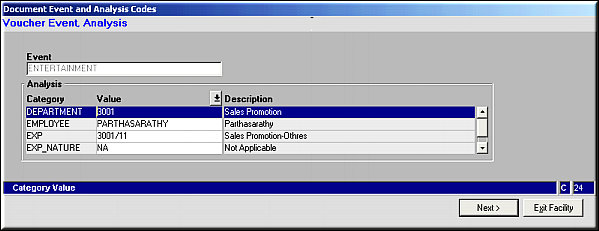
Enter the analysis details for the selected event and click Next. |
| | Voucher Entry
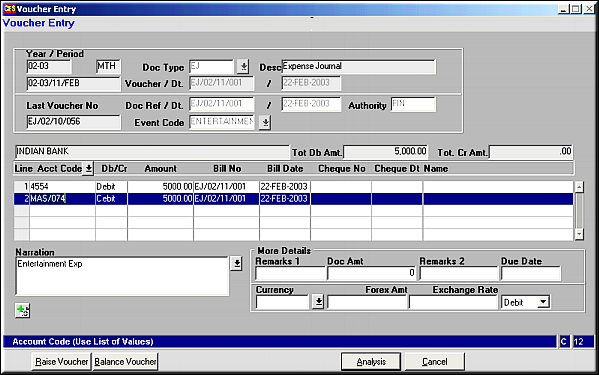
Enter the following |
| | Account CodeDb/CrAmountBill NoBill DateCheque NoCheque DateNameNarration | Press F9 for list of accountsDebit or CreditAmount in RupeesPerson to whom payment is made |
| | More DetailsEnter any additional details related to the voucher in this area |
| | Click Balance Voucher to balance the Voucher entry.Click Analysis to view the analysis details entered.
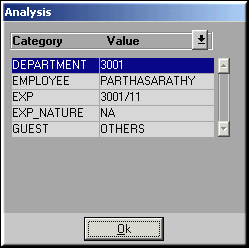
Click Raise Voucher to record the voucherNote:- Place cursor on a line of entry and Click on  to duplicate the row. to duplicate the row. |
| | |
| Raise Voucher | Voucher is saved and confirmation message showing voucher no. is displayed. |
| | |
| Exit Facility | Click to exit the current facility. |
| Voucher | |
| | |
| Pre-requisites | |
| |
| Notes | The opening balance voucher will add, to the Opening balance amount for the Posting period |