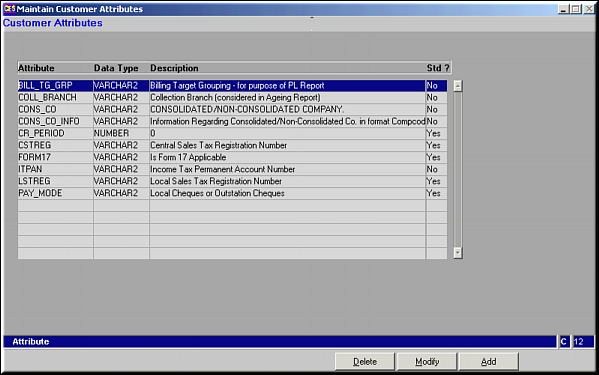
Customer Attributes may be Added, Modified or Deleted.
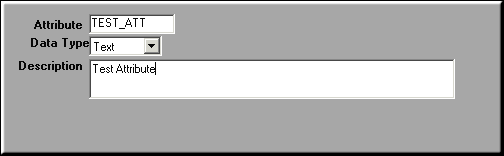
Enter data for fields and click OK to save Customer Attribute.
| Maintain Customer Attributes (CU05) | Previous Top Next |
| Function | Maintain attributes common to all customers. |
| How To Use | List of Customer Attributes Customer Attributes may be Added, Modified or Deleted. |
| Add | Add Customer Attribute Enter data for fields and click OK to save Customer Attribute. |
| Modify | Click to modify customer attribute. Screen similar to the Add facility is seen. Make necessary changes and click OK to save. |
| Delete | Click to delete customer attribute. Screen shows details about the selected area. Click OK to confirm deletion. |
| Pre-requisites | |
| Notes |