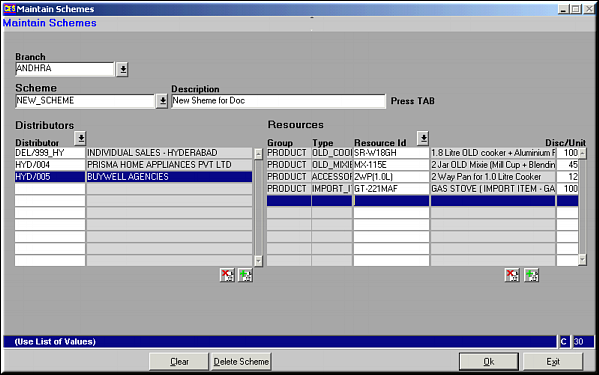
Enter branch and scheme to select for viewing and modifying details for existing schemes. Make necessary changes and click OK to save.For creating new scheme, enter the branch, scheme name, description, the list of distributors and the list of resources and the discount per unit sold. Click OK to save.Use buttons
 and
and  wherever available to add / delete distributor and resource items.