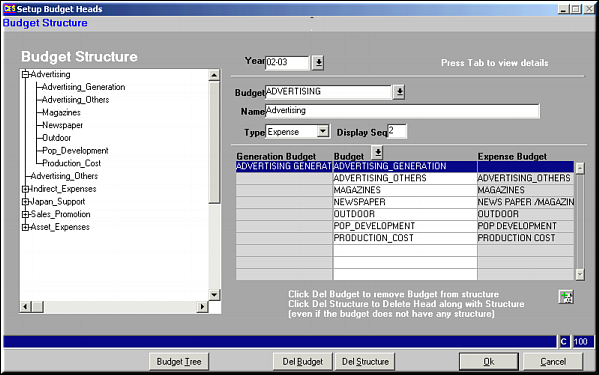
Enter Year ID and Budget head and press
| Maintain Budget Head (BD21) | Previous Top Next |
| Function | Facility to maintain the various heads for budgeting. |
| How To Use | Budget Heads Enter Year ID and Budget head and press |
| Budget Tree | Click button to get the budget tree on the left side of the screen |
| Del Budget | Click button to delete a specific budget. Click OK to save changes. |
| Del Structure | Click button to delete a Budget head along with its structure. Click OK to save changes. If there is no structure beneath the Budget Head, just the head is deleted. |
| Pre-requisites | |
| Notes |