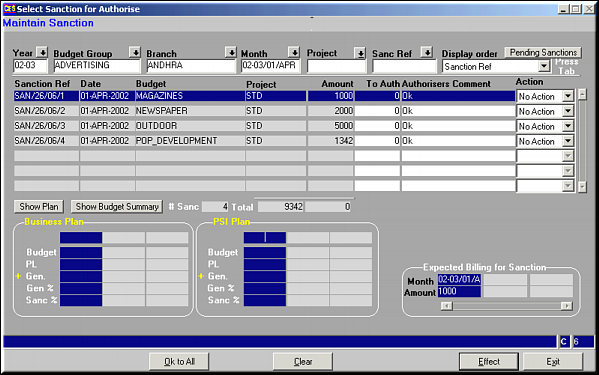
Enter criteria to filter by and press
| Approve Sanction (BD03) | Previous Top Next |
| Function | Facility to approve sanctions that have been entered for authorisation. |
| How To Use | List of Sanctions Pending Approval Enter criteria to filter by and press |
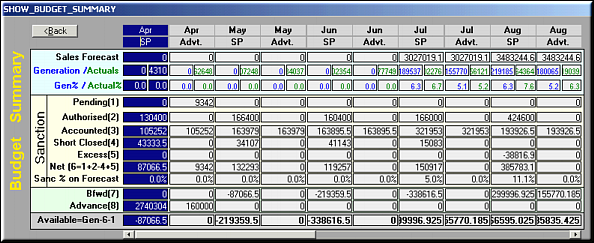
| Budgetary Summary | Budget Summary for Sanctioning |
| Show Plan | Click to view the business and PSI plans for the period. |
| Pre-requisites | |
| Notes |