| Function | Register opening balances for assets against asset ledgers. |
| | |
| How To Use | |
| | |
| Filter | Filter by Ledger ID
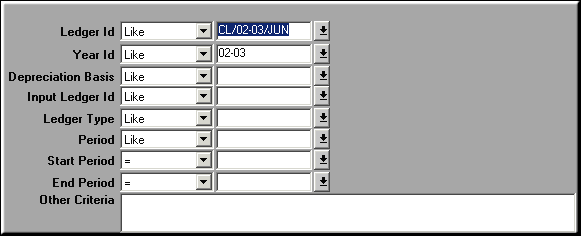
Enter filtration criteria and click OK to view ledger details. |
| | |
| Query Screen | Ledger Details
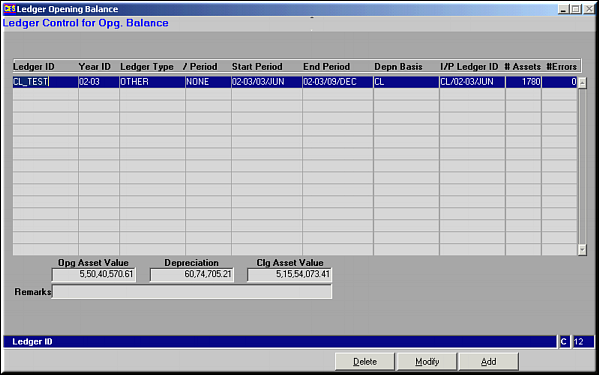
A gist of the ledger is seen. |
| | |
| Add | Add New Ledger
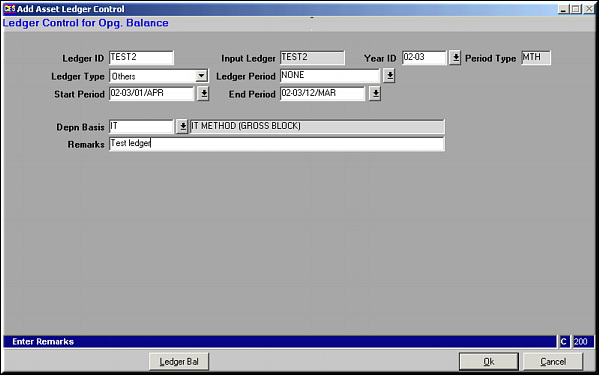
Fields to be entered |
| | Ledger ID | |
| | Year ID | |
| | Ledger Type | One of Quarter / Half-year / Year / Month / Others |
| | Ledger PeriodStart and End Period | Based on ledger type selected above |
| | Depreciation Basis | Like CL or IT |
| | Remarks | |
| | |
| Ledger Bal | Ledger Balances of Assets
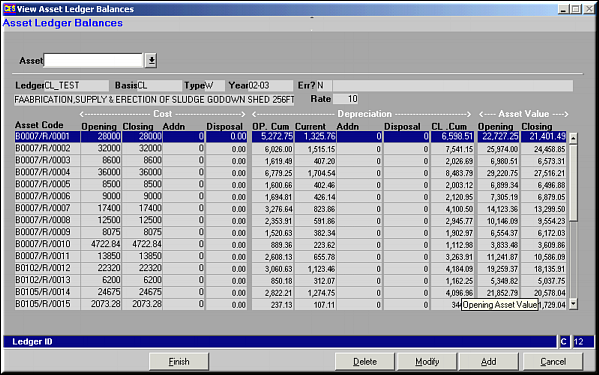
A list of assets and their ledger balances is seen. Ledger Balances can be added, modified or deleted.Add Asset Ledger Balance
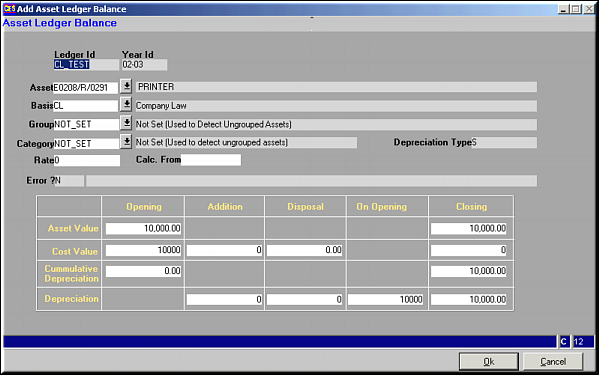
Enter necessary details and Click OK to save Asset opening balance.Similar screens are used to modify or delete asset balances. |
| | |
| Modify | Click to effect changes to Ledger Details. Screen Similar to the Add screen is seen. Make necessary changes and click OK to save changes |
| | |
| Delete | Click to delete existing Ledger Details. Screen shows details regarding the Ledger. Click OK to confirm deletion. |
| | |
| Pre-requisites | Essentially, it is better to first register the Ledger ID using Asset Ledger Control (AS32) |
| | |
| Notes | At this point the I/P ledger ID is same as the Ledger ID entered by user. This can be changed through |