| Function | Map assets, asset-related expenses and accumulated depreciation onto accounts used in the accounting system. |
| | |
| How To Use | |
| | |
| Filter | Filter for List of Fixed Assets.
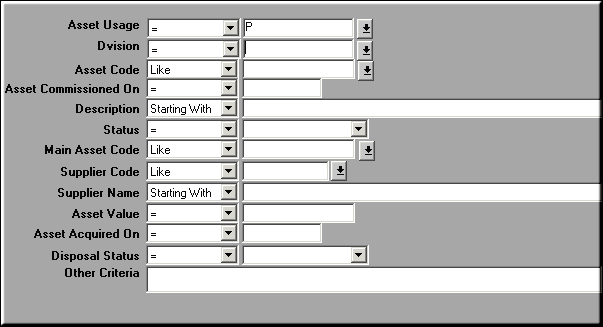
Use filter to restrict display to selected list. |
| | |
| Query Screen | List of Fixed Assets
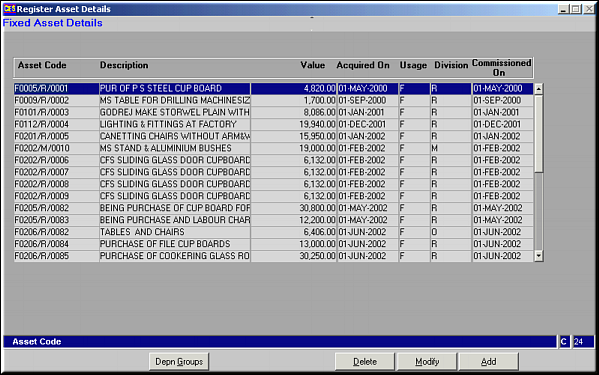
|
| | |
| Add | Add Asset
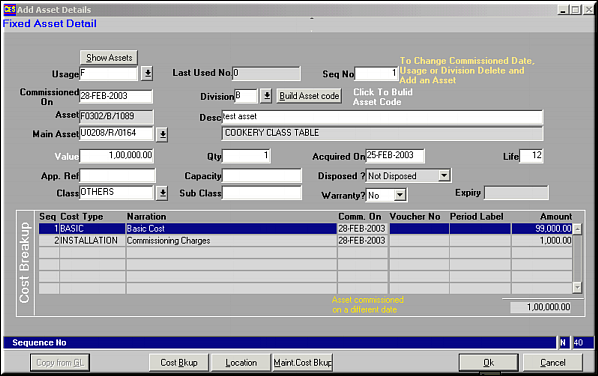
Enter details about the asset. Click on Build Asset Code for the system to build the asset code based on the parameters entered. |
| | |
| Cost Breakup | Cost Breakup on Value of Asset
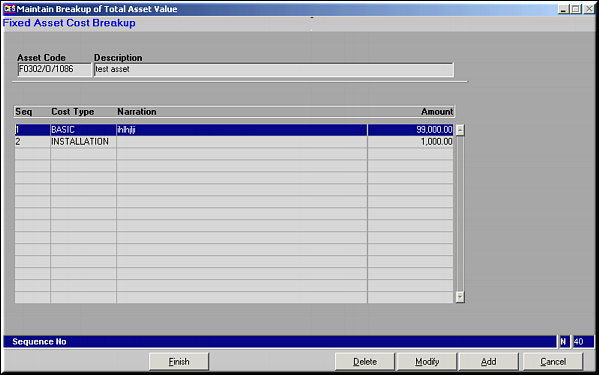
Cost Breakup lines may be Added, Modified or Deleted.Add Cost Breakup
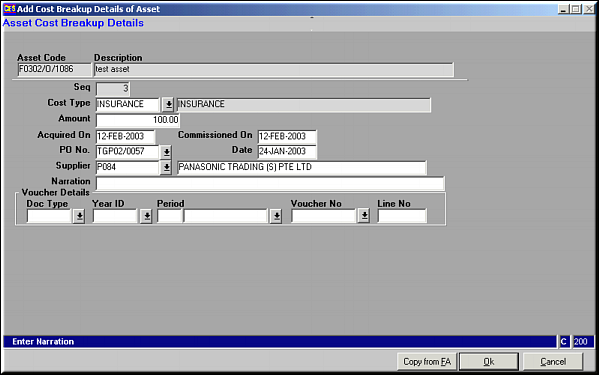
Enter cost Breakup details and click on OK to save details.Click on Copy from FA to pick up the vouchers from the Finance system.
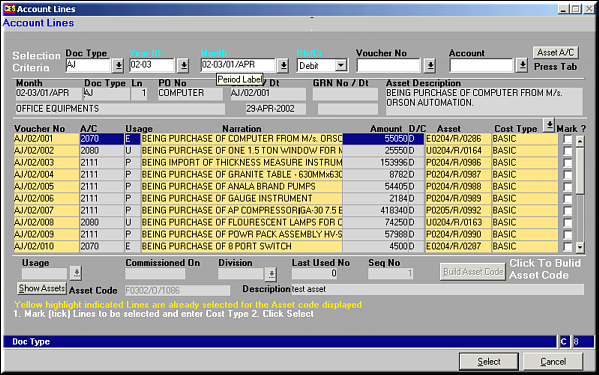
Similarly Cost Breakup can be modified or deleted. |
| | |
| Location | Location of the Asset
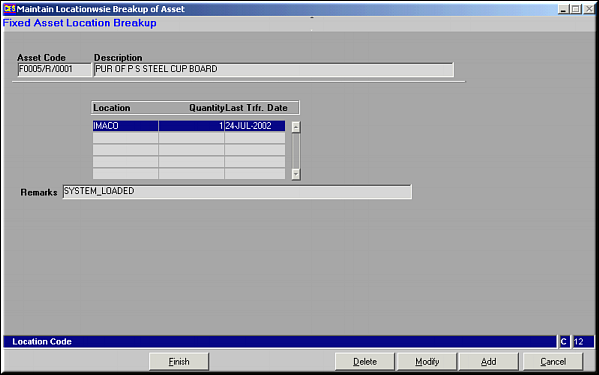
Add a Location
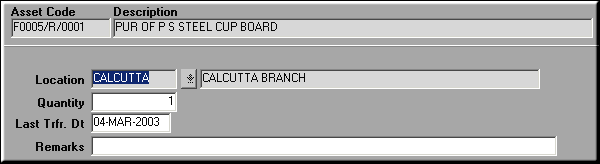
Enter location details and click on OK to save Changes.Locations can be added, modified or deleted. |
| | |
| Maint. Cost Brkup | Maintenance Cost Breakup on Asset
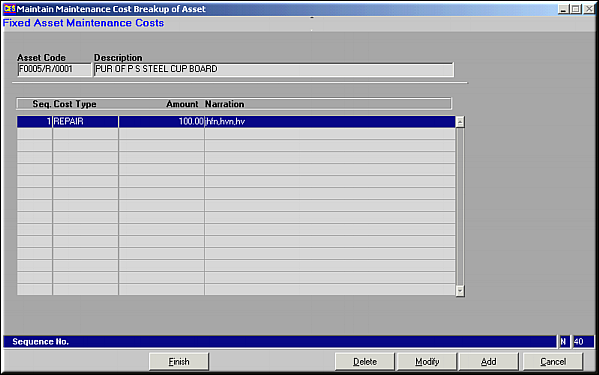
Add Maintenance Costs
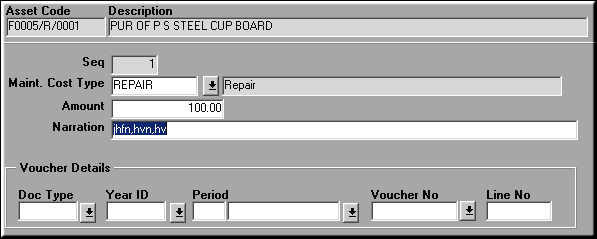
Enter the Maintenance costs and click OK to save details.Maintenance Costs can also be Absorbed from FA using Copy from FA. |
| | |
| Copy from GL | Same function as Copy from FA in Cost Breakup. |
| | |
| Modify | Click to modify a registered asset's details. Screen similar to the add facility is seen. Make necessary changes, and click OK to save changes. |
| | |
| Delete | Click to delete a registered asset.Screen showing asset details is seen. Click OK to confirm deletion. |
| | |
| Depn Groups | Click to view the Depreciation Groups in which the asset participates. |
| | |
| Pre-requisites | |
| | |
| Notes | |