Fields to be Input are:
| Maintain Depreciation Category (AS06) | Previous Top Next |
| Function | Maintain depreciation details by categories. | |
| How To Use | ||
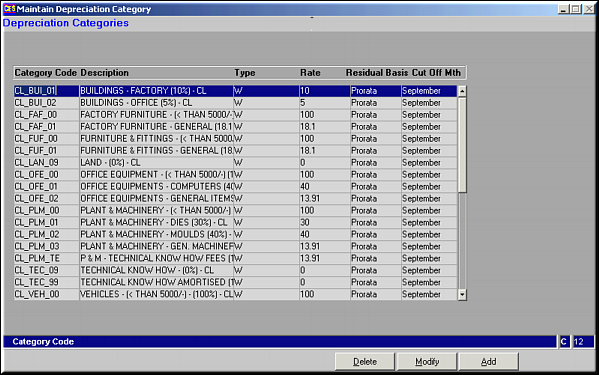
| Query Screen | List of all Categories and their depreciation. | |
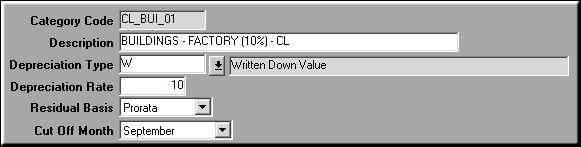
| Add | Add Category based Depreciation Fields to be Input are: | |
| Category Code | The unique Category | |
| Description | ||
| Depreciation Type | Like SLM or WDM | |
| Depreciation Rate | Rate | |
| Residual Basis | Pro-Rata or Cut off month | |
| Cut-off Month | Viz. SEPTEMBER | |
| Modify | Click to make changes to Category based depreciation. Screen similar to add screen is seen. Make necessary changes and click OK to save. | |
| Delete | Click to delete a category based depreciation. Screen displaying depreciation details is seen. Click OK to confirm deletion. | |
| Pre-requisites | ||
| Notes | ||