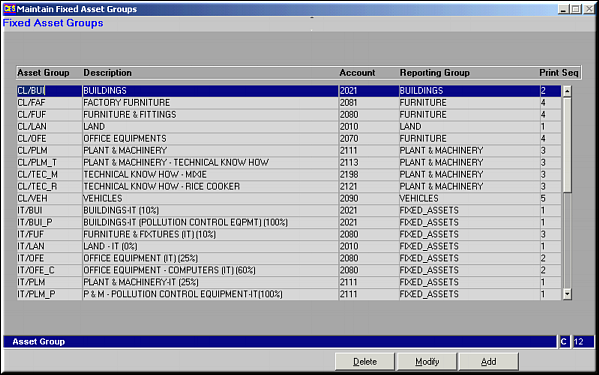
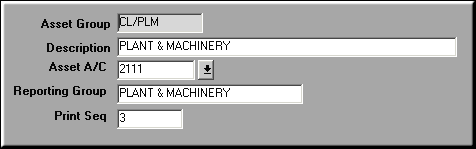
Fields to be Input are:
| Maintain Fixed Asset Groups (AS05) | Previous Top Next |
| Function | Group accounts for purposes of reporting. | |
| How To Use | ||
| Query Screen | List of Asset Groups, Accounts and Report Groups. | |
| Add | Add Asset Group, Account and Report Group Fields to be Input are: | |
| Asset Group | The unique Asset Group | |
| Description | ||
| Account | Account Code Participating in the group | |
| Reporting Group | Grouping by which reports should be printed. | |
| Print Seq. | Sequence at which account should be printed within report Group | |
| Modify | Click to make changes to Grouping. Screen similar to add screen is seen. Make necessary changes and click OK to save. | |
| Delete | Click to delete a Grouping. Screen displaying depreciation details is seen. Click OK to confirm deletion. | |
| Pre-requisites | ||
| Notes | ||