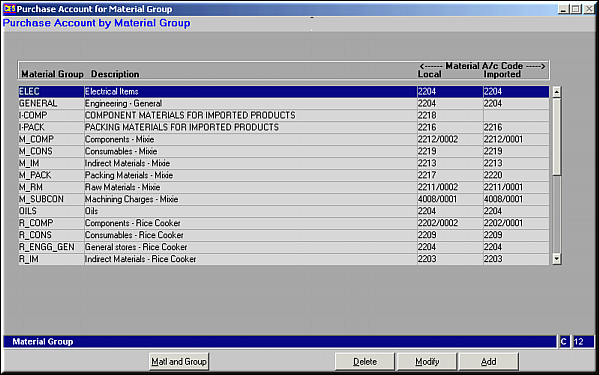
A list of all available material groups for which the Imported and Local Material Account Codes are set up is displayed.Click on Matl and Group for a complete list of material codes under each of the material groups.Account Information may be Added, Modified or Deleted.
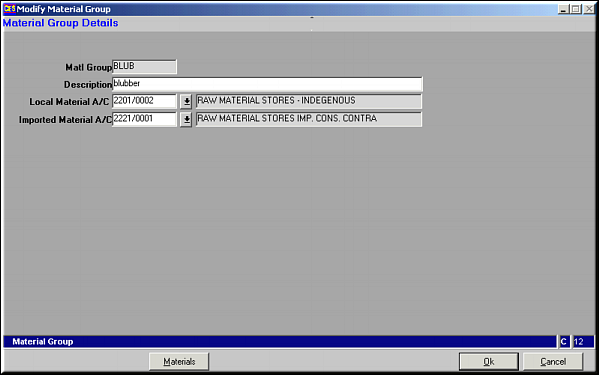
Enter Material Group Code, Description, Account Codes for Local Material an Imported Materials and click OK to Save.Click on Materials for a list of materials under the material group.
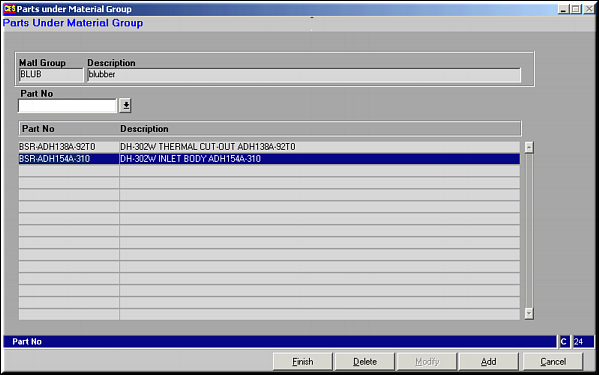
List of all materials under the material group is viewed.Parts may be Add or Deleted.
Add a Material Code
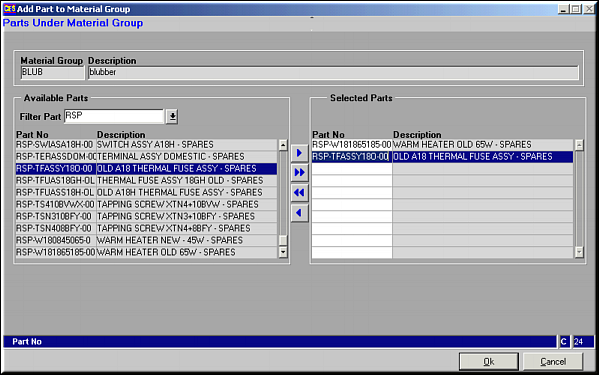
Use buttons
 ,
,  ,
,  ,
,  to select / deselect material codes. Click OK to save material codes and go back to previous screen.Click Delete to remove a part from the material group. Material Code details is shown. Click OK to confirm deletion.