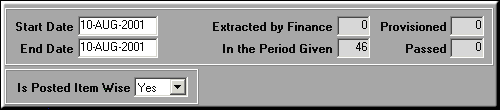
enter the dates between which the GRNs need to be extracted and click Show GRNs.
 ,
,  ,
,  ,
,  to select / deselect GRNs.Click Items on GRN for a list of all items in the GRN.Click OK to extract the GRNs to Finance.
| Extract GRNs for Provisioning (AP05) | Previous Top Next |
| Function | Extract GRNs from the stores area into the finance area for passing provision entries. |
| How To Use | |
| Dates Between | Dates between which to select GRNs enter the dates between which the GRNs need to be extracted and click Show GRNs. |
| Show GRNs | Select GRN{bmc ./ap05-selectgrn.bmp}Use buttons , , , to select / deselect GRNs.Click Items on GRN for a list of all items in the GRN.Click OK to extract the GRNs to Finance. |
| Pre-requisites | |
| Notes |