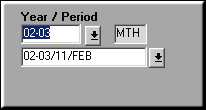
Enter the Year ID and Period Label and Click Voucher to continue voucher entry.

Enter the Doc Type and Date.
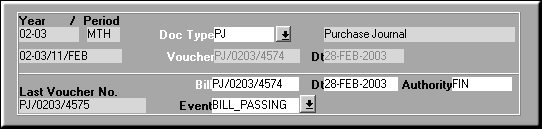
Enter voucher header details and Click Select GRN to select a GRN
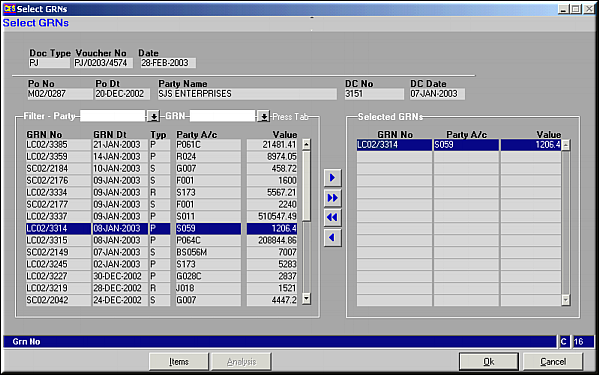
A list of all GRNs not passed as voucher are displayed on the left.Use buttons
 ,
,  ,
,  ,
,  to select / deselect GRNs. GRNs can optionally be filtered to a Party or to a GRN No. Click on Items to select items under the GRN.This is useful for Part paymentsItems in GRN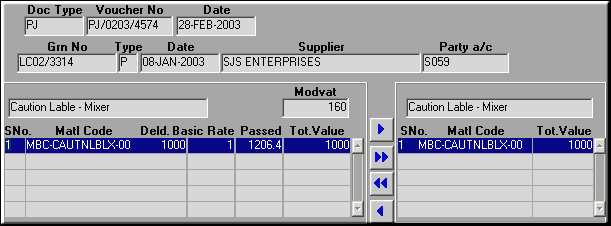
Select items to be passed and click OK to confirm. This takes control back to Select GRNs screenClick OK to confirm.
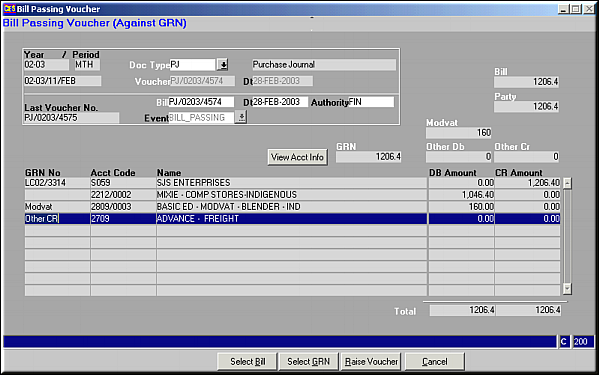
Details of how the voucher is accounted is seenClick on Select Bill to select a Bill.
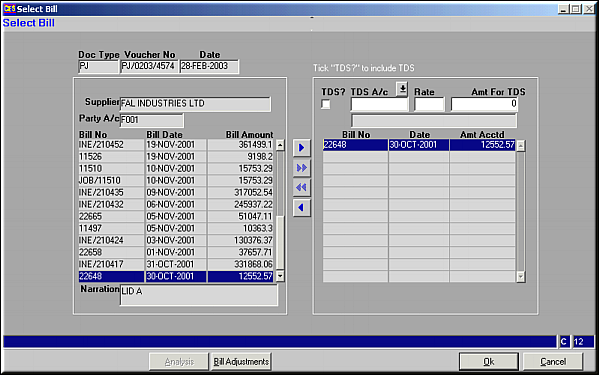
Cursor is automatically placed on the appropriate bill.Use buttons
, , , to select / deselect Bills.Click on Bill Adjustments to record any adjustments against the bill e.g. TDS.Click OK to confirm selection.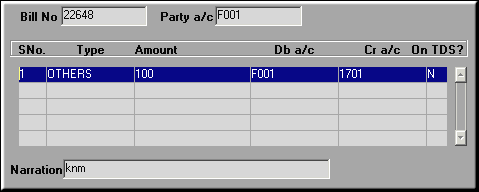
All existing adjustments against bill are seen. Adjustments can be Added, Modified or Deleted.
Add Bill Adjustments
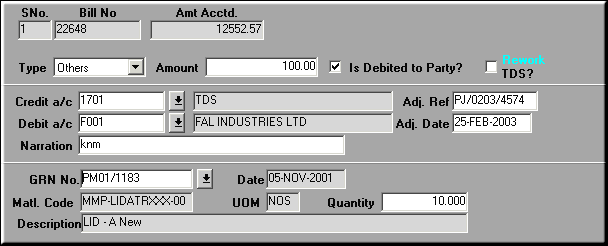
Click on Get Adjustments to get predefined adjustments against the bill.
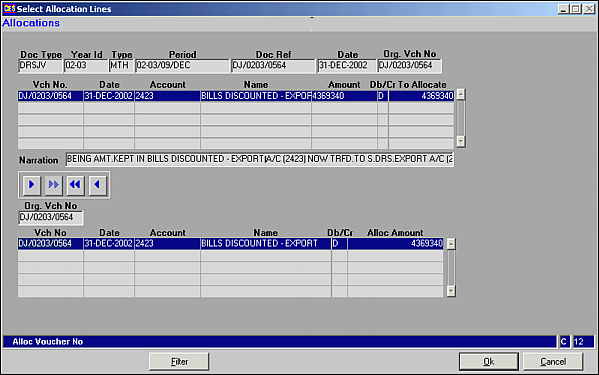
Click on filter to get Adjustment lines. Use buttons
, , , to select / deselect lines.Click ok to select the adjustments.Click OK to Save Adjustments. Click Finish to return control to Select Bill.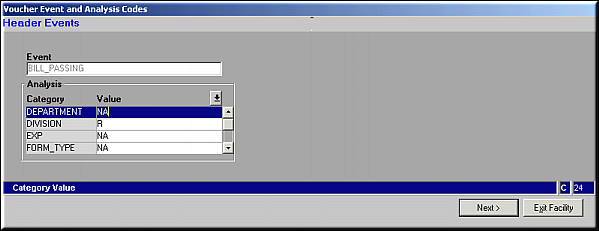
Enter the analysis details for the voucher and click Next.
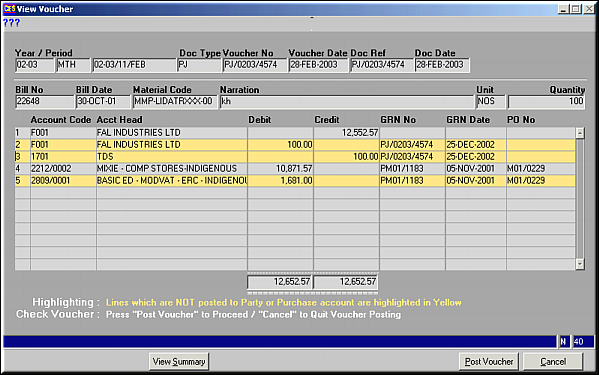
Inconsistencies are show in Yellow. In this case, click Cancel to exit facility and re-enter Bill Passing.Click on View summary to view a summary of accounting information.Click Post voucher to save details and exit