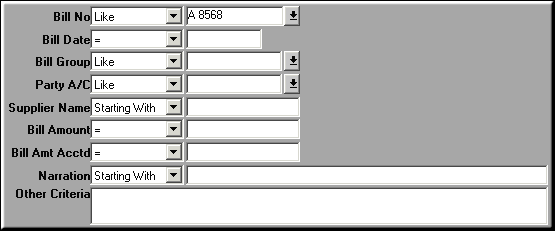
Enter criteria to filter by and Click OK.
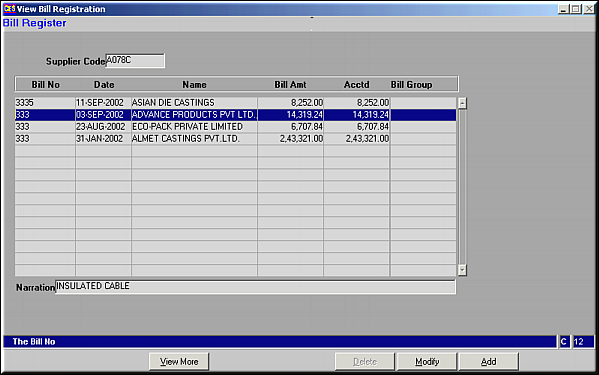
A list of bills matching the criteria is shown.Bills may be Added, Modified or Deleted.Bills Already Accounted for in part or in full cannot be deleted
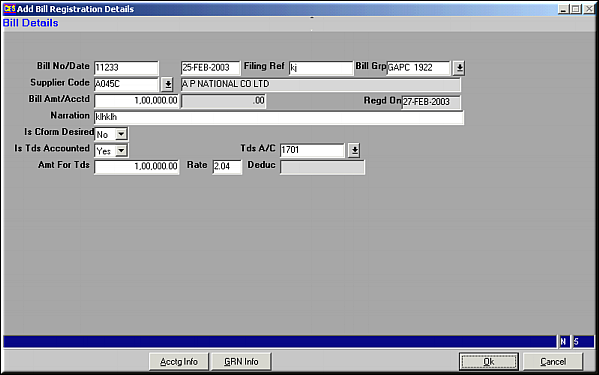
Click OK to save the bill details.
| Bill Registration (AP03) | Previous Top Next |
| Function | Register a claim from the supplier in the form of a Bill. |
| How To Use | |
| Filter | Filter for Bills Enter criteria to filter by and Click OK. |
| Query | List of Bills A list of bills matching the criteria is shown.Bills may be Added, Modified or Deleted.Bills Already Accounted for in part or in full cannot be deleted |
| Add | Add a New Bill Click OK to save the bill details. |
| Acctg Info | Click to get accounting information on the Bill. |
| GRN Info | Click to get GRN information on the bill. |
| Modify | Click to Modify Bill Details. Screen similar to the add screen is seen. Make necessary changes and click OK to Save. |
| Delete | Click to Delete Bill Details. Bill details are displayed.Click OK to confirm deletion. |
| Pre-requisites | |
| Notes | Accounting and GRN information are available only on bills that have been passed through Bill Passing Vouchers. |